
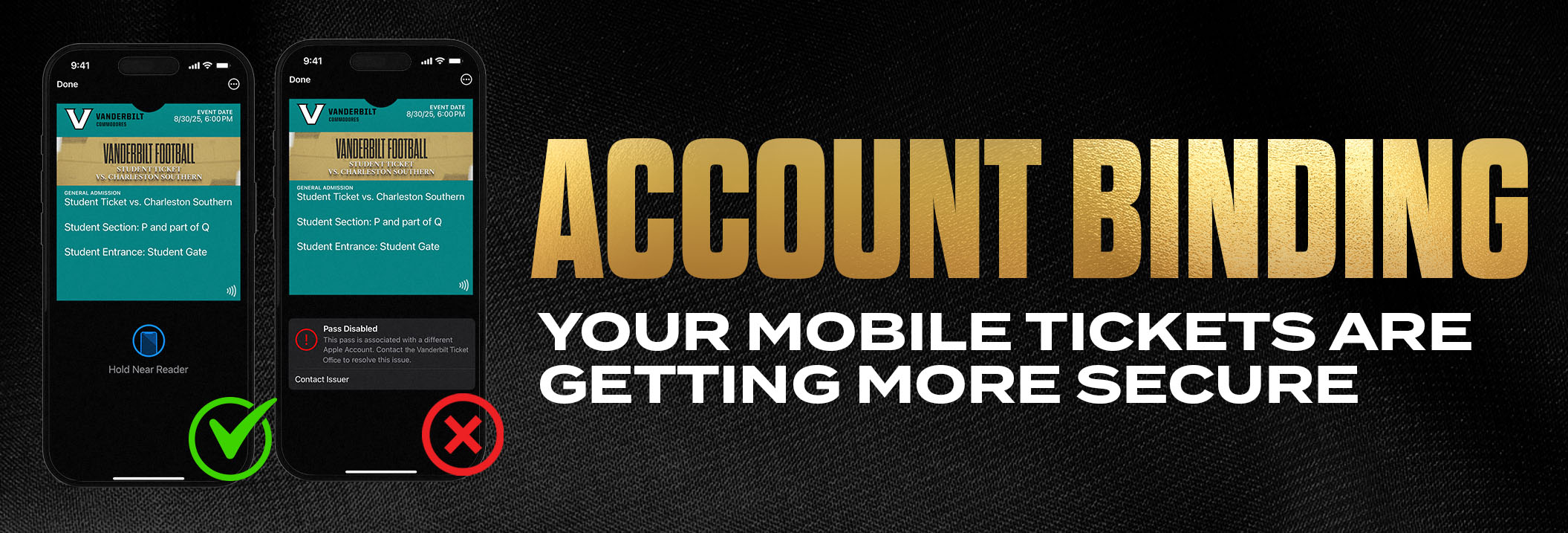
Apple users- your mobile tickets are getting more secure. Please note: at this time, these changes only impact STUDENT TICKET and PREMIUM TICKET HOLDERS who are Apple users. Both ticket types use NFC (tap to scan) to enter FirstBank Stadium and require account binding.
What’s Changing and First Time Setup
- Your tickets now work like Apple Pay. When you add your first single event mobile ticket to Apple Wallet this season, add one ticket (do not select “Add All”) to your wallet. Follow the Apple verification prompt (using Face ID, Touch ID, or your password). This creates a secure connection between your Vanderbilt Athletics ticket account and your Apple iCloud account. Note: Season ticket ALL-IN-1 passes currently will not be prompted to authenticate your tickets until they’re transferred to someone else.
- Once set up, future tickets from Vanderbilt Athletics are automatically and securely bound to your Apple Account. You don’t need to authenticate again unless you’re using a different device or there’s a security concern. You may also use the “Add All” feature going forward without issue.
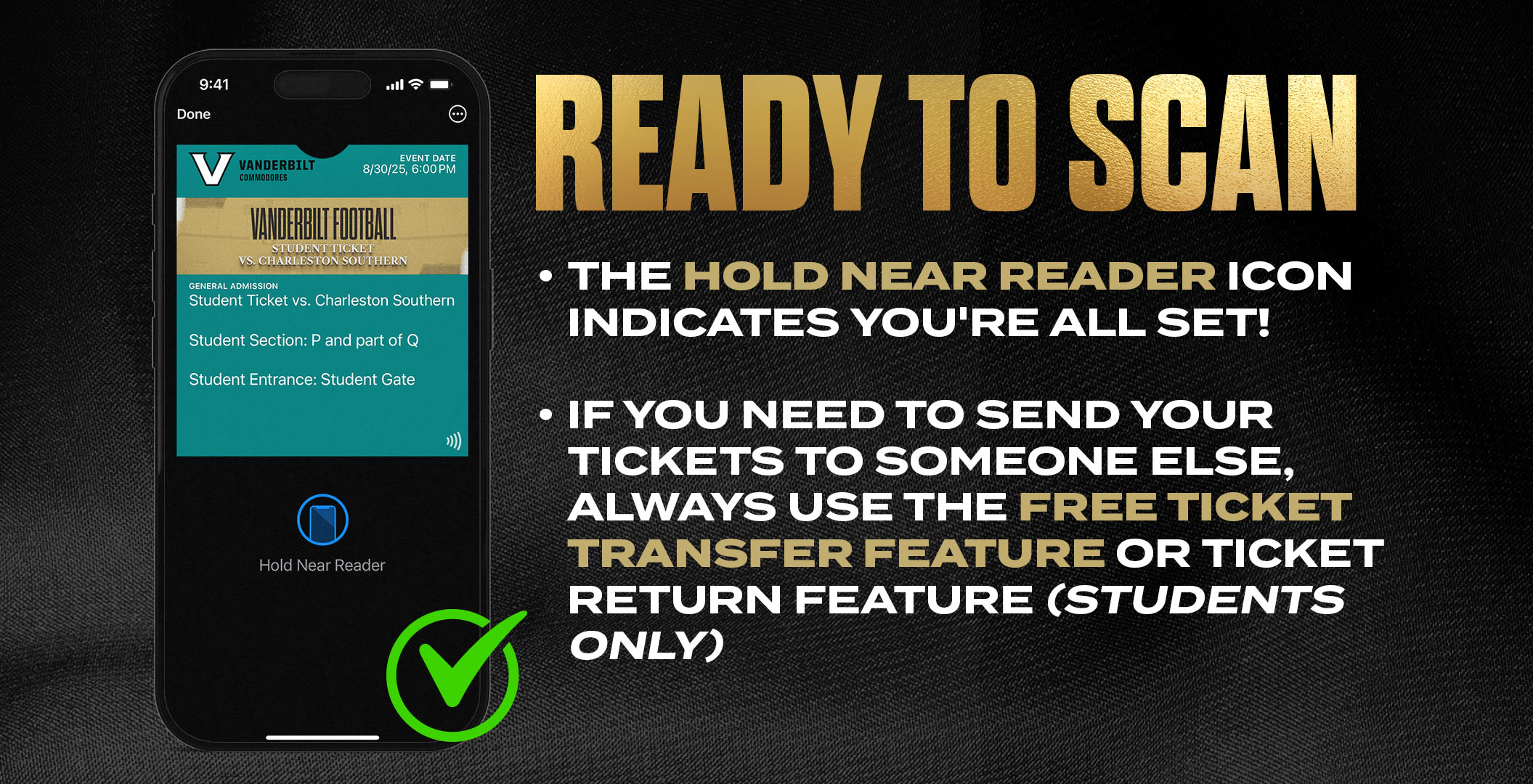
- Ticket transfer- Premium ticket holders will always want to share your tickets using the free ticket transfer option offered in your ticket account here. (Not available for student tickets)
- Student ticket holders- If you are unable to use your ticket, please return it so another student has the opportunity to attend. Returned tickets will be reissued by the athletic department and made available for claim. Click here for step-by-step instructions on how to return your student tickets.
Visual Indicators
Once you have received your tickets, downloaded them to your Apple Wallet, and bound them correctly to your Apple Account, look for the “hold near reader” icon on your pass in your Apple Wallet. This signifies that your tickets are correctly linked and ready to scan.
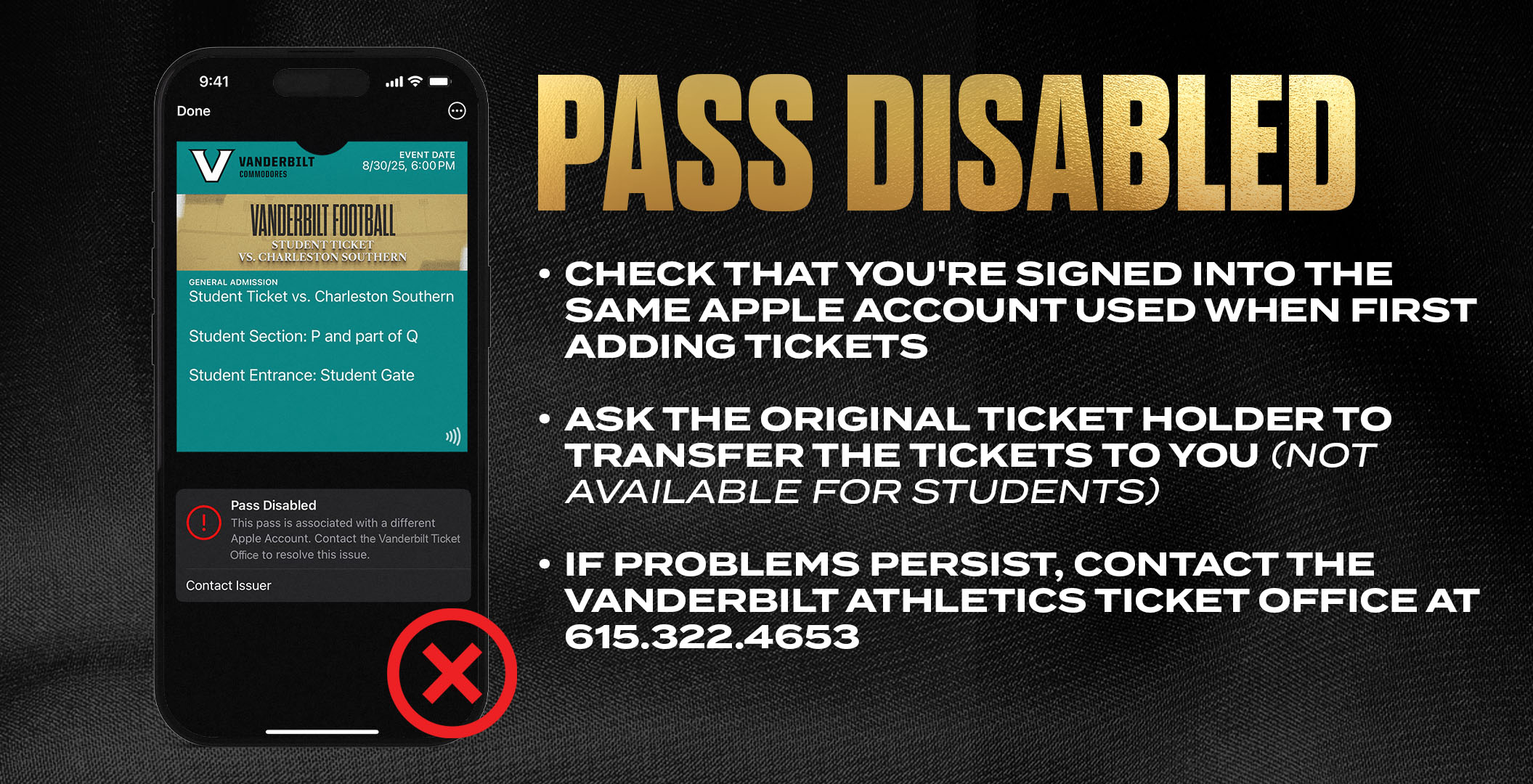
If you do not see this icon:
- Check that you are signed into the same Apple Account used when first adding the tickets
- Try removing and re-adding the ticket from your Apple Wallet
- Ensure you’re connected to wi-fi or cellular data
- If problems persist, contact the Vanderbilt Athletics Ticket Office at 615.322.4653
Here’s what you need to know:
- Your Vanderbilt Ticket Account will now be permanently bound to your Apple Account
- Each person who downloads a ticket to their Apple device must have their own Vanderbilt Ticket Account account
- NEVER share your Vanderbilt Ticket login with anyone not using your Apple device
- NEVER forward a “download to wallet” email as a way of sharing tickets with others
- Sharing logins, screenshots, or emails with ticket links will result in disabled passes. Everyone who needs a ticket on their own device must set up a Vanderbilt Athletics ticketing account, accept their tickets, and add it to their own Apple Wallet!
Sharing and Returning Tickets
- Student tickets can not be transferred. With account binding, students are prevented from sharing their Vanderbilt Ticket account logins to share tickets!
- Vanderbilt students who can not use their student ticket are encouraged to return their ticket ahead of game day! Returned tickets will be reissued by the athletic department and made available for other students to claim. Click here for step-by-step instructions on how to return your student tickets.